
On November 18, Google said it had reworked Gemini for lower-memory Android devices, including eligible Android Go phones. The company points to live conversation, camera translation and image creation as things users can try. Its dedicated help page sets a minimum of 2 GB of RAM on Android Go. It also requires a Google account that can access Gemini in a supported place and language. That sounds small next to a new flagship phone release. The meaningful change is that some people can try a service on the device they already use to work, study and reach family. Google’s announcement · Google’s Android Go help page
Imagine a worker with an interview the next morning. The job posting is saved on the same phone that receives messages from the interviewer. Practising an answer aloud could help more than typing long prompts on that screen. The task works when the person can find the assistant, sign in, afford the connection and finish a session without losing access to the instructions. Compatibility opens the first of those doors. The experience of an affordable phone still depends on all the others.
The new announcement also needs to be placed in time. In June, the Gemini team had already described an Android Go version called Gemini Go that would arrive through the Google Search app. Android Central reported on that earlier rollout. November’s announcement concerns the reworked app, which Google says users can obtain through Google Play on eligible phones. Its current Go help page also explains the Search app route. Taken together, they describe a broadening of ways to use the service after an earlier rollout. Independent coverage confirms the November announcement. It does not establish which specific handset, account and region combinations have received it. June announcement by the Gemini team · Android Central on the earlier rollout · Thurrott on the November announcement
The first check is the phone somebody actually owns#
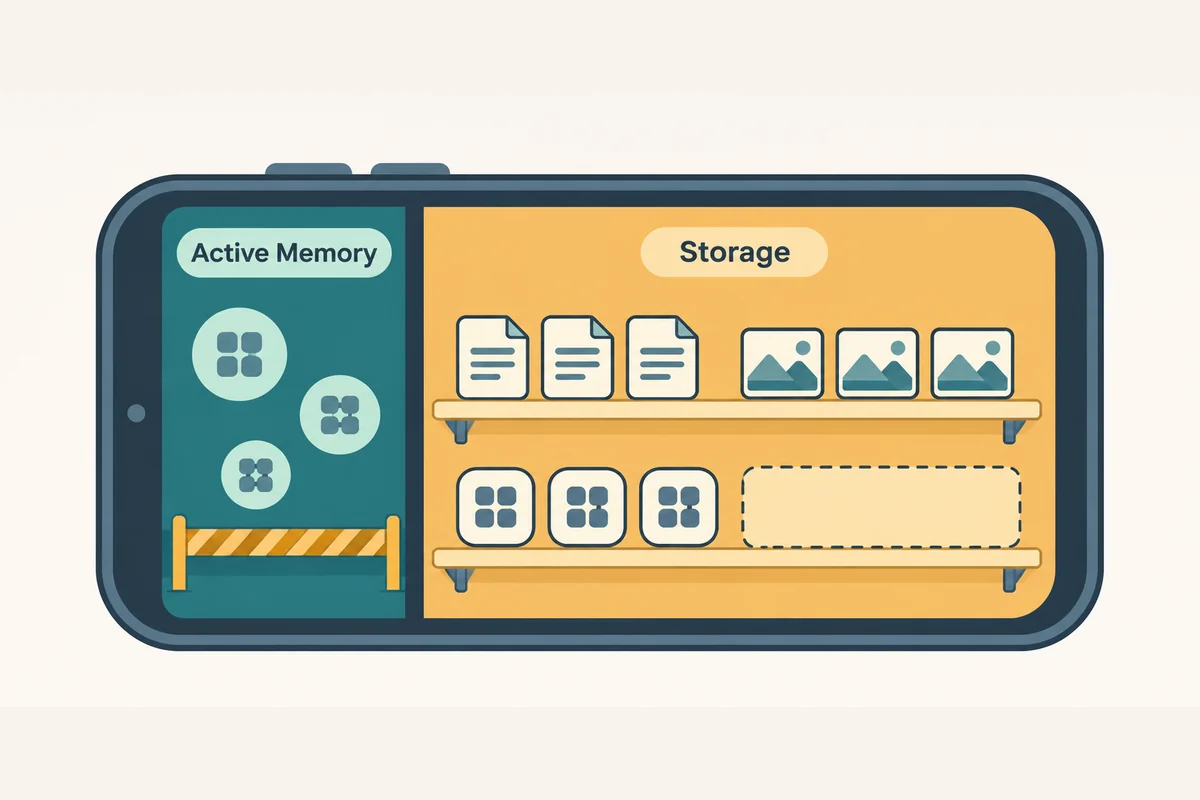
Two gigabytes of RAM is a concrete threshold. RAM is the working memory a phone uses to keep apps and their active data ready. The free space listed under storage is used for different things, including files and installed apps. A phone can have several gigabytes free and still fall below the memory requirement. Android’s developer documentation shows why the Go label alone is insufficient. Earlier Go versions could run on devices with 512 MB or 1 GB of RAM. The table gives 2 GB as the minimum for the Android 13 Go edition. The phones still in people’s pockets were not all bought in the same year. Android Go developer documentation
The specialised help page also says a user must sign in with an eligible account. At work or school, access can depend on the plan and permissions provided by the organisation. Supported countries and languages matter as well. Those conditions explain why two people with the same phone can see different results. The cause might be a software version, an account setting or availability in a place. Buying a replacement before finding out which condition applies could leave someone with the same problem and a less manageable budget. Google’s eligibility requirements
Google’s general Android availability page still includes an older note excluding Android Go. The Go-specific page linked directly from the November announcement gives the new requirements and describes the available entry points. That inconsistency is worth knowing for someone searching how to start. The new article can be true while a broad help page lags behind it. The practical checks are whether the dedicated device guidance covers the phone, whether the installed Google application is up to date and whether Play offers the app for that device and account. General availability page · Specific Go guidance
Google says Gemini is accessible through the Google Search app on these devices and that users can also download the separate Gemini app from Play. To begin an interaction, its documentation describes holding the Home button, or the Power button on phones that support that method. It says the “Hey Google” wake command and “Ask about this screen” are unavailable on Android Go. The difference can matter to someone who learned to summon the previous assistant hands-free. A person should be able to discover how the service starts on that phone and which habits need to change. Google’s documented entry points
An entry point also determines who can use a phone comfortably. For someone holding a grocery bag and a handrail, reaching a physical button can be awkward. A person who relies on a screen reader needs the app’s prompts, choices and error messages to be legible through the tools already set up on the phone. A store listing can report a phone is compatible while telling little about those tasks. A useful accessibility check would follow the user from opening the assistant to hearing or reading the result, with the relevant input or reading aid on.
Google names Transsion among partners expected to preload Gemini on some upcoming phones. Preinstallation can make the app easier to find and spare someone an initial download. It does not establish which current phones will receive the same experience. For a household planning to keep its device until it wears out, access through an update may matter more than a feature on a future phone. How useful the change is depends partly on manufacturers continuing to pass through updates during the time people actually use their phones. Google’s announcement
An operating-system upgrade, an update to the Google Search app and access added to an account can arrive separately. That distinction matters for how households and support workers help people get started. A phone may keep receiving ordinary Android security updates while an assistant is unavailable to the person who has signed in. Another owner may see a new entry point after updating an app, while the system version stays the same. A support page that specifies the required app version and identifies account issues can save a trip to a repair shop or a needless purchase. It also helps separate a handset defect from a change controlled by the service provider.
Listening, looking and typing have different costs#
The functions announced by Google address different situations. The company says Gemini Live supports conversation in more than 45 languages. Someone can use conversation to rehearse answers or talk through a plan without wrestling with a small keyboard. Camera input can provide context from a note or form. Image generation may help make an illustration for a local event. There is no single measure of how well the new app works, because recording speech, sending a photo and giving a short text response require different actions from the user and the phone. Google’s examples
Consider the interview again. A useful practice session needs accurate recognition of the speaker’s language and accent, a response at a pace that allows the person to keep going, and a way to recover if the connection breaks. The settings and coverage needed for a voice session can differ from those needed to send a short written question. A person can benefit from the text function even when taking part in a long discussion is impractical. The number of supported languages tells readers something about reach. Performance in actual sessions and familiar varieties of those languages would tell them something else.
Camera use changes how much information can be sent with a single action. Someone who is handed a notice in an unfamiliar language may find it easier to photograph than transcribe. A translated answer can help the person decide what to read more closely or what to ask the office that issued it. It can also make an error, particularly on deadlines, handwriting and unfamiliar terminology. A helpful interface lets someone inspect the part of the image it used and keep access to the original. For a consequential form the official instructions are still the basis for a decision.
A generated image presents another use. A person who sells pastries at weekends might want a simple illustration for a flyer. Google’s blog describes this as an example. The rest of making a usable flyer still includes checking opening times, prices, lettering and suitability for the place where the image will be shared. A budget phone may already carry the camera, messaging and image tools required to distribute it. Bringing creation to the same device can save a trip to another computer. The time it saves depends on how much correction is needed afterward. Google’s illustration example
The dedicated help lists other tasks such as contacting someone or setting an alarm. Those can make the new assistant useful away from a conversation about a document. A person who already relies on basic commands may care just as much about getting the right result with few steps. A voice assistant can be impressive in a demonstration and still be annoying if a timer takes more time and attention to set than before. Keeping the basic tasks easy gives people a reason to try the new functions without disrupting the rest of their work. Tasks listed in Google’s help
The app can fit while the connection is still expensive#
Google says the app was re-architected so the core experience runs well on hardware with less memory. The announcement gives no model-by-model measurements for startup, battery use, data volume or how long a session takes. A lower memory requirement is evidence about which phones can run an application. It is not a measurement of how much data the user will need or where the underlying computation happens. In particular, the rollout does not promise that Gemini Live, camera interpretation or image creation is available offline. A modest handset still has to fit the conditions under which someone uses it. Google’s launch note
Network use is part of the budget. On home Wi-Fi, a person may not pay attention to the size of a session. On a prepaid plan, a repeated upload can compete with messages, navigation or an essential call. Storage matters for another reason. Someone with a full phone may have to remove an app or photograph before installing an update. The same feature can be easily reachable in one household and require work in another. What helps is knowing the download size, expected network use for different kinds of request and whether an interrupted task can resume.
The first update and later use need separate consideration. A family might install an update over a neighbour’s connection and use mobile data for the rest of the month. A work phone may switch frequently between a weak signal indoors and stronger coverage outside. Testing only the first download will miss how a camera request behaves when the connection changes. Testing only a text conversation will miss what installing a new version takes. Those details matter to manufacturers and app teams deciding where to spend engineering effort.
A simple hypothetical shows how to think about estimates. If a particular task used 10 MB and somebody did it every day for a 30-day month, it would take about 300 MB before update downloads or retries. That figure is arithmetic, not a measurement of Gemini. The point is the unit. A product assessment should compare data and time per completed job, including the extra steps when a request fails. Short text, repeated audio and camera uploads can lead to different totals. An average across all sessions would hide what any one user needs to pay.
GSMA’s 2026 connectivity report estimates that 4.8 billion people used mobile internet by the end of 2025, about 59 percent of the world’s population. It says about 38 percent of people lived within mobile broadband coverage and still did not use it. The association’s accompanying report puts that group at about 3.1 billion. Its figures are about connectivity, with a different denominator from Google’s estimate of the potential reach of the reworked app. They help explain why a compatibility announcement can matter to some owners and still leave larger barriers untouched. GSMA’s 2026 connectivity research · GSMA’s accompanying findings
The association also found that handset affordability was the largest reported barrier among the low- and middle-income markets it surveyed. For the poorest fifth of people in those markets, the price of an entry-level internet-capable phone was equivalent to 44 percent of their average monthly income at the end of 2025. The association puts the corresponding measure at 76 percent in sub-Saharan Africa. These are group estimates, not the price any individual pays. They show why a chance to use already-owned hardware has real value. A rollout that also works with limited data and intermittent service can reach more people within that group. GSMA’s affordability figures
Access includes control over the shared phone#
People may share one device with a partner, child or colleague. A conversational app can be useful there and can create complications when sessions and photos are associated with an account. A child borrowing a phone to translate a homework note, for example, may reach a different account from the one a parent expects. A worker may prefer to keep a document off a shared device. The ability to see the active account, control what is submitted and understand what can be removed has practical value even when the phone hardware works perfectly.
Google’s privacy resources describe data handling and controls for its Gemini products. The details depend on which input, setting and account apply. A camera image can contain more than the part a user wants explained. A photo of a form, for instance, can include an address or identification number alongside a short printed instruction. The feature is easier to use responsibly when people can select what to share and understand where it goes. Broad access to AI should make those controls reachable on an inexpensive phone, together with the new experience itself. Gemini Apps Privacy Hub
Google’s Go help page says Google Family Link can be used to turn off Gemini Apps access for children below the applicable age. It also says school and work accounts must be eligible. A caregiver or school deciding whether to use the service needs to distinguish the account rules from the device’s capabilities. A child may be able to start a conversation through a parent’s device even when their own account is restricted. The rollout creates a reason to know who is signed in and what people using a shared phone can find. Google’s Go account guidance
In a discussion of the announcement on r/Android, some commenters focused on whether Gemini would be installed or made the default assistant, and others distinguished ordinary Android from other device configurations. These comments are a small sample of platform users who saw a news post. They are useful for identifying a real question before setup. Can someone see which assistant has been selected and keep a way to do routine tasks if they prefer a different route? The rollout documentation describes multiple ways of starting the software. Preloaded devices will be especially informative about how those choices are presented. r/Android discussion
A useful rollout is visible in completed tasks#
Manufacturers and Google can show the effect with a clear eligibility list and checks across common connections. An owner should be able to tell whether a model can use the service, which system version is needed and whether a certain feature is available in a particular language. Evidence from an inexpensive device is especially useful when it includes how long a task takes and what changes when the user switches apps or loses the connection. A demonstration on fast Wi-Fi and a new phone answers only part of the question.
A comparison of two ordinary phones can be revealing. Give both the same short document and ask for an explanation in a supported language. Record whether the user could install or open the service, how many attempts it took to send the document, what the result missed and how much data was used before there was a useful answer. Repeating the task on a different connection would show which part of the difficulty moved. Publishing the phone models, settings and dates would allow a reader to tell whether a later improvement came from an app change or a different device.
The same principle applies to education and work. A student who can ask for a discussion in a language they speak may get a form of practice that does not require a laptop. A shopkeeper who can draft one clear sign may save time. The improvements become visible through completed work, including how long it took and what had to be verified or repeated. Account access is a prerequisite, and accurate answers in a familiar vocabulary will determine whether the service is useful beyond the first few tries.
Data collection could also help distinguish installation from regular use. Google mentions a potential audience in the hundreds of millions. That describes the company’s expectation about the size of the eligible population. It does not count people who have opened Gemini on Android Go, completed a conversation or continued to use it. The gap between those measures matters when people see a prompt, receive the app through a system update or find it mentioned in a guide. A large install figure could coexist with uneven value from region to region. Google’s description of potential reach
Comparisons should also leave room for tools families already use. A person can use a dedicated translation app, ask a coworker to read a notice or take a photograph for later. The actual cost of those methods can include somebody’s time, privacy and an extra trip. An assistant has a place if it helps someone finish the job under the conditions they actually face. It can complement existing options where a person wants a quick explanation and still needs an official answer. That is a more informative comparison than assuming every task is waiting to become a chat.
One follow-up measure would be to ask users what stopped them. An unsupported account, a difficult setup, a language mismatch, insufficient free memory, an expensive network and unclear answers all lead to different fixes. An aggregate satisfaction result could overlook each. Manufacturers might improve updates or provide clearer device information. Google might make a feature work with shorter requests or explain a locale restriction. The rollout is easier to evaluate when the reasons for non-use are visible to the people who can solve them.
For a buyer, the November change alters one choice. Some people still using a compatible Android Go handset can get Gemini without replacing the phone. How much the new feature matters depends on the rest of the day. The person preparing for an interview has a good result when they can talk it through within their budget, return to the original job information and understand which account held the conversation. A broader supported-device list is worth having. The next evidence comes from owners doing the work that made them open the app.